TV diagnostics

The screen, backlight, boards and software are tested separately: we tell you the cause, price and time in advance.

Diagnostics is how we find the cause of a fault. The same symptom can have several causes: a black screen can come from the backlight, the T-Con board or the power supply, and these repairs cost completely different amounts. That is why we test the TV part by part and quote the price only once the cause is clear. Diagnostics is carried out by an experienced TV repair technician, who explains the result to you in person.

What we check and how

PartHow it is checked
Power supplyStandby, main and backlight supply voltages are measured under load; capacitors and ripple are checked
BacklightEach LED strip is tested separately and failed LEDs are located
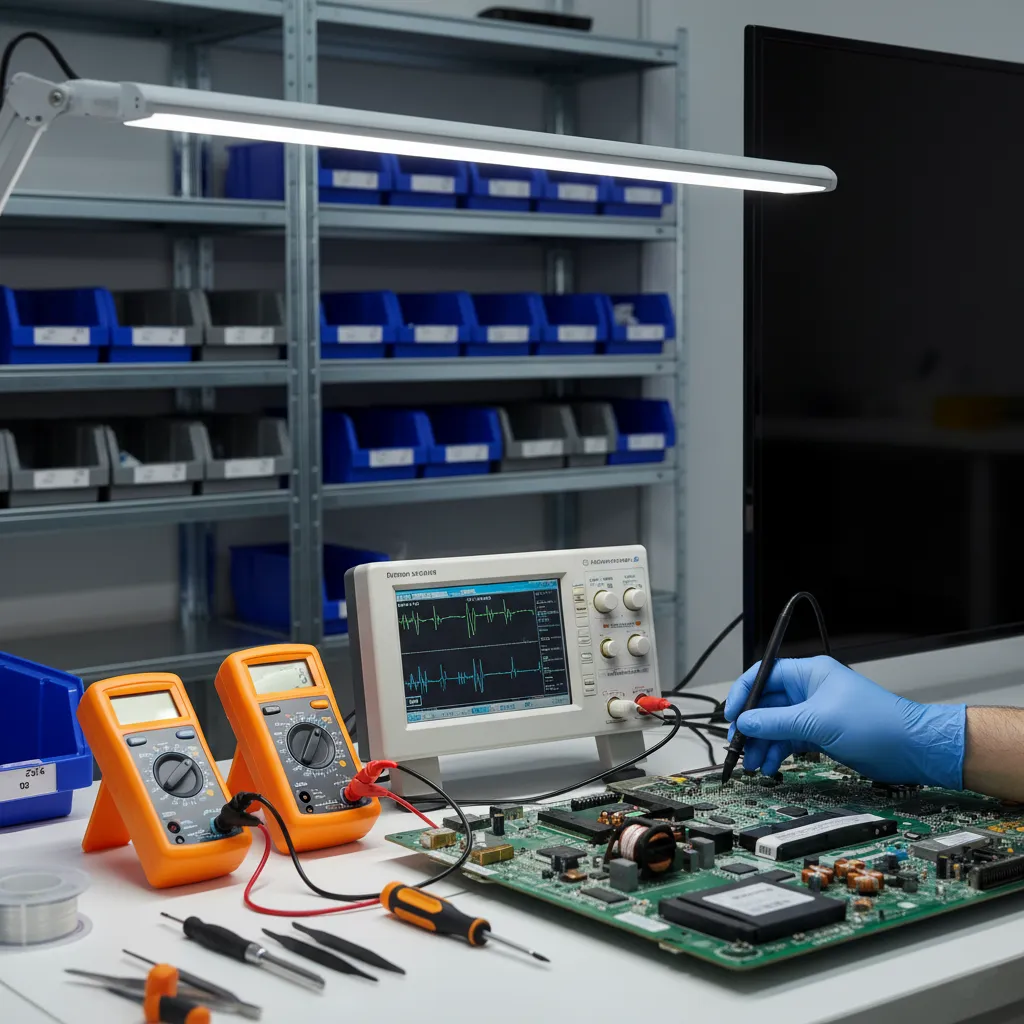
Panel and T-ConTest patterns reveal lines, spots and color faults; T-Con signals are measured with an oscilloscope
Main boardSupply voltages, processor start-up, the memory chip and software loading are checked
Ports and modulesHDMI, USB, antenna input, Wi-Fi and Bluetooth, remote control receiver, audio amplifier

What you get after diagnostics

  • the cause of the fault — which part failed and why;
  • the exact price and time of the repair; a heads-up if the part has to be ordered;
  • an honest opinion on whether the repair is worth it.

The decision is yours: we start the repair only after you agree.

Intermittent faults

Some faults do not show up every time: the TV switches off now and then, lines appear only after it warms up, the picture sometimes disappears. In such cases we run the TV for a long time and monitor voltages and signals as it heats up. If you record the fault on video and send it to us, we find the cause faster.

The most common jobs after diagnostics are LED backlight replacement, TV board repair and TV screen repair. What affects the price is explained on the TV repair prices page.

TV board diagnostics with an oscilloscope and a multimeter

Get a repair quote

Choose your device and leave your number — we will contact you as soon as possible.

Thank you! Your request is received — we will contact you as soon as possible.

Find your model

Enter the model number — for example, QL55M800A. It is on the label on the back panel or in the settings menu.

Useful articles

  • Power Board Repair TV: Essential Guide for Fixing Issues
    TV Problems and Repair

    Power Board Repair TV: Essential Guide for Fixing Issues

    Television power boards play a crucial role in the overall functionality of modern TVs. When these components malfunction, it can lead to various issues such as a blank screen, flickering lights, or even a complete system shutdown. Understanding how to perform a power board repair can be invaluable...

  • Understanding and Troubleshooting TV Power Supply Failure
    TV Problems and Repair

    Understanding and Troubleshooting TV Power Supply Failure

    TV power supply failure can be a daunting issue for many, as it often results in your gadget becoming unresponsive. Knowing how to identify and address this issue can save time and money. This guide will help you understand the common causes and fixes for TV power supply failures.

  • Troubleshooting HDMI Board Issues: Common Symptoms and Solutions
    TV Problems and Repair

    Troubleshooting HDMI Board Issues: Common Symptoms and Solutions

    HDMI board issues can be a frustrating experience for anyone relying on their television for entertainment or work. These problems not only disrupt the viewing experience but may also indicate deeper electronic malfunctions. Understanding the typical symptoms and causes of HDMI board issues is cruci...

  • SMPS Failure Diagnostics: Ensure Your TV's Power Efficiency
    TV Problems and Repair

    SMPS Failure Diagnostics: Ensure Your TV's Power Efficiency

    Diagnosing failures in the Switched-Mode Power Supply (SMPS) of a television is crucial for effective repair and maintenance. These components are essential in modern TVs, as they manage power efficiently. Understanding how to identify and resolve SMPS issues can save both time and money.

  • Troubleshooting TV Not Responding to Power Button Issues
    TV Problems and Repair

    Troubleshooting TV Not Responding to Power Button Issues

    Is your television refusing to turn on despite pressing the power button? This situation can be incredibly frustrating, especially when you're eager to unwind with your favorite show. In this guide, we’ll explore potential causes and solutions for a TV not responding to the power button, helping you...

Prices

TV diagnosticsfrom 60 AZN

These are starting prices: we tell you the exact amount after diagnostics.

FAQ

Frequently asked questions

How long does diagnostics take?

It depends on the fault: an obvious fault is found quickly, while an intermittent one requires running the TV for longer. We let you know the result as soon as it is ready.

Can I decline the repair after diagnostics?

Yes, the decision is yours: we tell you the cause and the price and start the repair only after you agree.

Why can't you name the exact cause over the phone?

The same symptom can come from different parts. From the model and the symptom we can name the likely cause and a preliminary price; the exact answer comes after diagnostics.

How do you check a TV that switches off now and then?

We run the TV for a long time and monitor voltages and signals as it warms up. A video of the fault helps us find it faster.

How to run diagnostics on a Samsung TV?

Samsung TVs have a self-diagnosis section in the menu: on newer models it is Settings → Support → Device Care → Self Diagnosis, on older ones Settings → Support → Self Diagnosis. It offers a picture test, a sound test and signal information. If the test picture shows lines or spots, the problem is on the screen side; if the test picture is clean, the cause is the signal source or the cable. If the TV does not turn on or the menu is not visible, this test does not work — then the power supply, backlight and boards are checked at the service center with measuring equipment.

Contacts

Send a request — we will quote the price

Google Maps loads only when you press the button

Get a price

Leave your number — we will contact you as soon as possible.

Thank you! Your request is received — we will contact you as soon as possible.