
 Azərbaycan
 Русский
 English
 Türkçe
Laptop and notebook repair in Baku — all brands
HP, Lenovo, Asus, Acer, Dell, MSI: motherboard, screen, charging, overheating — at component level.
Innova Service has been repairing electronics in Baku since 2008. We repair laptops of all brands — HP, Lenovo, Asus, Acer, Dell, MSI, Samsung, Sony Vaio, Toshiba, Huawei, Xiaomi and others: office, home and gaming laptops. The core of our work is component-level motherboard repair: laptops that other service centers turned down, saying “the board needs replacing”, are often restored here by replacing the faulty component.
Repairs start from 100 AZN. We find the cause first, then quote the exact price and repair time; work starts only with your approval, and we give a warranty on the work done.
Faults we repair
| What happens | Likely cause |
|---|---|
| The laptop won't turn on at all | Motherboard power rails, power controller, short circuit — motherboard repair |
| Not charging, no light when the adapter is plugged in | Adapter, charging port, charging controller on the motherboard, battery |
| Lights on, fan spinning, black screen | Screen, its cable, backlight, graphics chip power, BIOS |
| Broken screen, lines, spots | Panel replacement — screen replacement |
| Runs very hot, noisy, shuts down in games | Dust, dried thermal paste, fan — cleaning and thermal paste |
| Keys do not work | Keyboard, its ribbon cable, embedded controller on the motherboard |
| Trackpad (touchpad) not working | The trackpad, its cable, the controller on the motherboard |
| Liquid spilled on it | Corrosion and short circuits — board cleaning and restoration |
| Runs slowly, lags | Overheating (dust, thermal paste), a worn-out hard drive or SSD, RAM |
| No internet on the laptop (Wi-Fi can’t find any networks) | Wi-Fi module, its antennas, the circuit on the motherboard |
| USB, HDMI or audio jack not working | The port itself, its protection components, the circuit on the board |
What we repair
- Motherboard (mainboard). Power rails, PWM controllers, embedded controller (EC), charging controller, BIOS chip reprogramming, corrosion after liquid damage.
- Screen. Panel replacement, display cable, backlight; standard, IPS, high-refresh (120–165 Hz) and touch screens.
- Upgrade. Laptop SSD upgrade and RAM upgrade — the laptop boots and works faster.
- Charging and battery. Charging port, charging circuit, replacement of a worn or swollen battery.
- Cooling. Dust cleaning, thermal paste, fans — especially in gaming laptops.
- Keyboard and ports. Keyboard replacement, repair of USB, HDMI and audio jacks.
- Memory and storage. A faulty RAM module, SSD or HDD is replaced as part of the repair (RAM replacement, SSD replacement, HDD replacement in a laptop). Software problems — Windows, viruses — are not our profile.
We do not sell spare parts separately — a faulty part is replaced only as part of a repair. Apple laptops — MacBook repair.
Gaming laptops
Gaming laptops such as the Asus ROG and TUF, MSI, Lenovo Legion, HP Omen, Acer Nitro and Predator, and Dell Alienware run very hot under load: the CPU and GPU power circuits work hard, and the cooling system quickly clogs with dust. Typical problems are shutdowns during games, performance drops and a burnt-out GPU power circuit. On these laptops we repair the power circuits and restore the cooling; on some Asus ROG models we work carefully with the liquid metal on the CPU.
Laptop repair technician
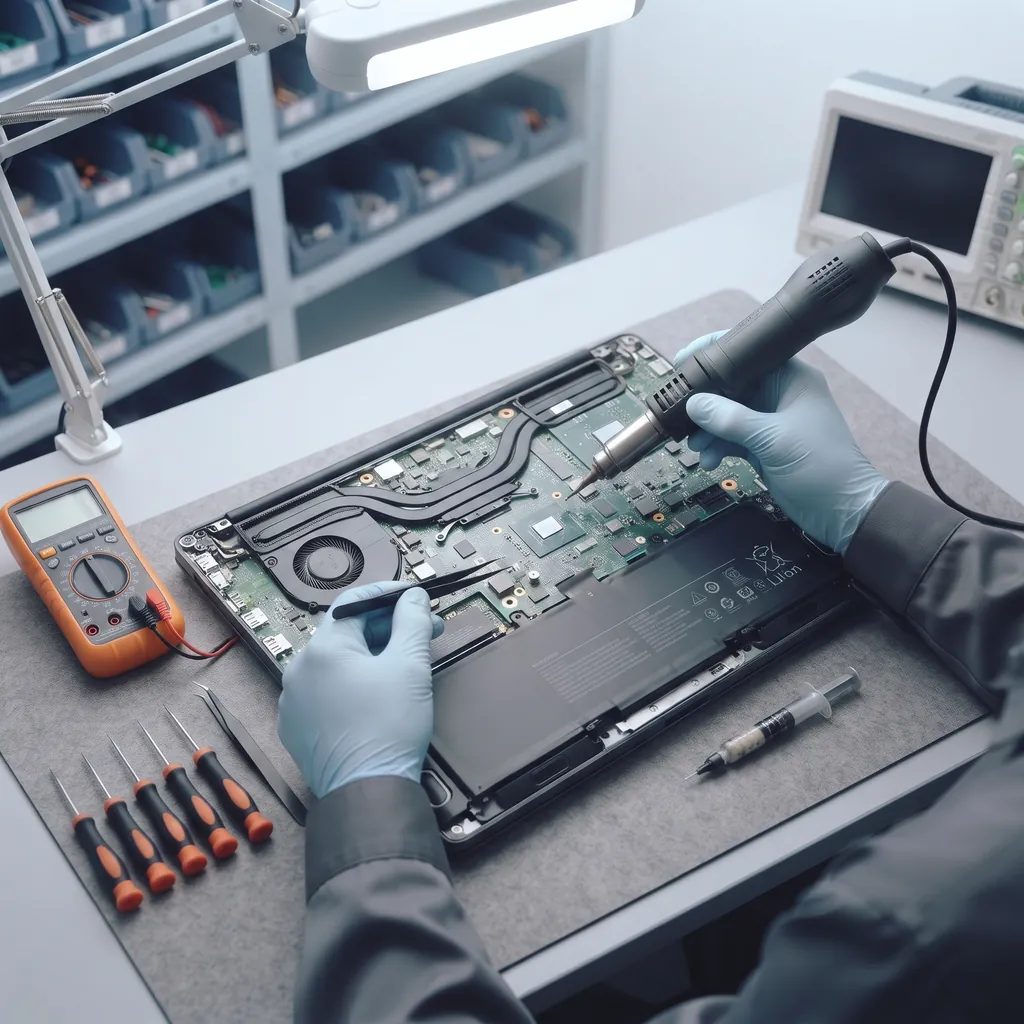
Our technicians are electronics specialists: they work from the laptop’s schematics, measure the power rails, locate short circuits with a thermal camera and replace the faulty component under a microscope. What you can check yourself before contacting us and how to choose a technician — laptop repair technician.
How the repair works
- Diagnostics. Power, motherboard, screen, battery, memory and cooling are tested.
- Price and time. Quoted in advance, once the faulty part has been found.
- Repair. The faulty component or part is replaced, solder joints are restored.
- Testing. The laptop is tested under load, on the charger and on battery.
- Warranty. Every laptop repair is guaranteed: we give a warranty on the work done. Desktop PC and laptop repair — see also computer repair.
The nuances of high-quality laptop repair and maintenance
- Working from schematics. The board is checked against the model’s schematic, not by guesswork: we measure which power rail is missing and replace only the faulty component.
- Proper soldering. Chips are soldered with controlled temperature and flux, and the board is then cleaned of residue — otherwise the fault soon comes back.
- Matching parts. The panel, battery or keyboard is selected by the model code: a mismatched panel may flicker, and a mismatched battery may not charge correctly.
- Regular maintenance. Cleaning dust out of the cooling system and replacing the thermal paste prevent overheating and board failures; gaming laptops need this more often.
Desktop computers —computer repair, monitors — monitor repair.
How a laptop is repaired: the repair stages
- Diagnostics (testing and checks). Power, motherboard, screen, battery, memory and the cooling system are measured — we do laptop hardware repair.
- Price. We quote it once the faulty part has been found.
- Repair. Motherboard, cooling system repair (fan, thermal paste), touchpad, keyboard, screen; RAM upgrades and SSD installation.
- Testing and warranty. The laptop is tested under load.
What to do if your laptop won’t turn on: try the adapter in a different socket, disconnect the battery (if it is removable) and reconnect it; if that does not help, diagnostics are needed. If the laptop screen has gone black, the cause lies in the screen, its cable or the graphics chip power supply. If performance has dropped, the usual culprits are overheating and a worn-out drive. Why professional laptop repair matters: checking the board against the schematic costs less than buying a new part.
Upgrades: SSD and RAM
A slow laptop often does not need replacing. Swapping the hard drive (HDD) for an SSD makes the system and programs load several times faster, and extra RAM removes the stutters when you work with a browser and office software. We select the SSD and memory to suit the model: many laptops have a spare memory slot, while on some the memory is soldered to the board and cannot be expanded — we will tell you this in advance.
When laptop repair is not worth it
If the board is badly damaged by liquid and corrosion has spread through many layers, if a processor or graphics chip that is no longer made has burnt out, or if the repair would cost close to the price of a new laptop, we tell you so honestly after diagnostics, and the decision is yours.
Typical faults by brand
- HP and Lenovo. On the Pavilion, Envy and IdeaPad, the display ribbon cable often wears through, causing lines or a black screen; we replace the cable, but we do not repair hinges or cases.
- Dell. The “AC power adapter type cannot be determined” message and a refusal to charge: the culprit is often the ID line in the connector or in the power adapter, not the battery itself.
- Asus, MSI, Acer Nitro and Predator. Gaming models run hot, and over time the GPU and CPU power circuits fail; cleaning the cooling system and repairing the board help.
- Thin ultrabooks of all brands. The memory is soldered to the board and the battery is glued in; after a spill, corrosion quickly reaches the power circuits.
What to tell us when you get in touch
The laptop model — it is printed on the label on the underside of the case or under the battery. What exactly is happening: it won’t turn on, won’t charge, shows no picture or overheats. When it started: after a fall, a spill, a system update, or gradually. With this information we can tell you the likely cause and an approximate price even before diagnostics.
How to extend your laptop’s life
Use the laptop on a hard surface rather than on a bed or your lap, so that the ventilation openings are not blocked. Use a charger with the right power rating. Do not lift an open laptop by a corner of the screen, and do not close the lid if a pen or earphones are lying on the keyboard. Keep drinks away from the keyboard. Have the cooling system cleaned every one to two years, and gaming laptops more often.
Read more: Huawei service.
Get a repair quote
Choose your device and leave your number — we will contact you as soon as possible.
Related services
- Laptop repair technician A technician who works with schematics, measurements and micro-soldering: finds the cause and explains it.
- Screen replacement Cracked screen, lines, spots: the panel is matched by model code and connector.
- Motherboard repair No power, not charging, no picture: power rails, controllers, BIOS — without replacing the board.
- Cleaning and thermal paste Overheating, noisy, shutting down in games: dust cleaning, thermal paste and thermal pads.
Prices
| Laptop and notebook repair in Baku — all brands | from 100 AZN |
|---|
These are starting prices: we tell you the exact amount after diagnostics.
Frequently asked questions
Which laptop brands do you repair?
All brands: HP, Lenovo, Asus, Acer, Dell, MSI, Samsung, Sony Vaio, Toshiba, Huawei, Xiaomi and others. We also repair MacBooks.
My laptop does not turn on. Can it be repaired?
Often, yes. The cause is usually a single component in a motherboard power rail; we find it and replace it.
Another service center said the board needs replacing. Can you take a look?
Yes. Laptops like this are often restored here by repairing the board at component level.
How much does laptop repair cost?
Repairs start from 100 AZN; we quote the exact price after diagnostics.
Do you sell spare parts?
No, we do not sell parts separately — we only replace them as part of a repair.
My laptop is not charging — what is the cause?
First we check the adapter and its cable, then the charging port, the charging controller on the motherboard and the battery. We find the cause by measurement and repair the faulty part.
Why does my laptop overheat?
Dust in the heatsink and fan, dried-out thermal paste or a worn fan. Cleaning the cooling system and replacing the thermal paste cure the overheating; gaming laptops need this more often.
The laptop screen is black but the indicator lights are on — what has failed?
The panel, its ribbon cable, the backlight or the graphics chip power supply; sometimes the BIOS. We connect an external monitor and measure the circuits to find the exact cause.
My laptop screen is broken — can you replace it?
Yes, we replace the panel with one that matches the model: standard, IPS, high-refresh and touch screens. We quote the price in advance, based on the model.
I spilled water on my laptop — what should I do?
Switch the laptop off immediately, unplug the adapter and do not turn it on. The board has to be cleaned of corrosion and restored — the sooner the repair starts, the better.
Do you replace laptop hard drives (HDD) and SSDs?
Yes: a faulty HDD or SSD is replaced as part of the repair, and to make the laptop faster we install an SSD and add RAM (an upgrade).
The keyboard or touchpad is not working — what has failed?
The keyboard itself after a spill, its ribbon cable or the embedded controller on the board. If some keys stopped working after liquid got in, the board also needs to be checked for corrosion.
Do you repair gaming laptops?
Yes: Asus ROG and TUF, MSI, Lenovo Legion, HP Omen, Acer Nitro and Predator — power circuits, graphics chip power and cooling.
Why does professional laptop repair matter?
The board is checked against the schematic and only the faulty component is replaced: this costs less than a new board and does not create new faults.
My laptop shuts down by itself — why?
Most often it is overheating: dust in the heatsink and dried-out thermal paste. Less often it is a worn battery that cannot handle the load, or a faulty power circuit on the board. We check the temperatures under load and measure the power rails.
The laptop does not see Wi-Fi or the USB ports do not work — can it be repaired?
Yes: we check the Wi-Fi module and antennas, the USB port power circuits and the connectors themselves, and replace the faulty component on the board.
Will my data be preserved during the repair?
When repairing the board, screen or power circuits, we do not touch the data on the drive. If the drive itself is faulty, we will tell you in advance; if possible, back up your data before contacting us.
My laptop freezes or will not start — what should I do?
If the laptop freezes, check its temperature: the usual culprit is overheating caused by dust and dried-out thermal paste, less often a worn drive or memory. If the laptop will not start at all, unplug the charger, hold the power button for 15–20 seconds and turn it on again; if that does not help, the fault is in the board’s power circuitry or the BIOS, and diagnostics are needed.
What do I need to do to get my laptop repaired?
Message us the laptop model and the fault or give us a call, and we will tell you the likely cause and an approximate price. Diagnostics and repairs are carried out at our service center, and we quote the exact price before work begins.
Send a request — we will quote the price
- 070 262 19 19Call us
-
5a Ahmad Rajabli St. (Life Centre)Baku, AZ1052
-
Mon — Fri, 10:00–18:00Sat, Sun — closed
- service@innova.azEmail