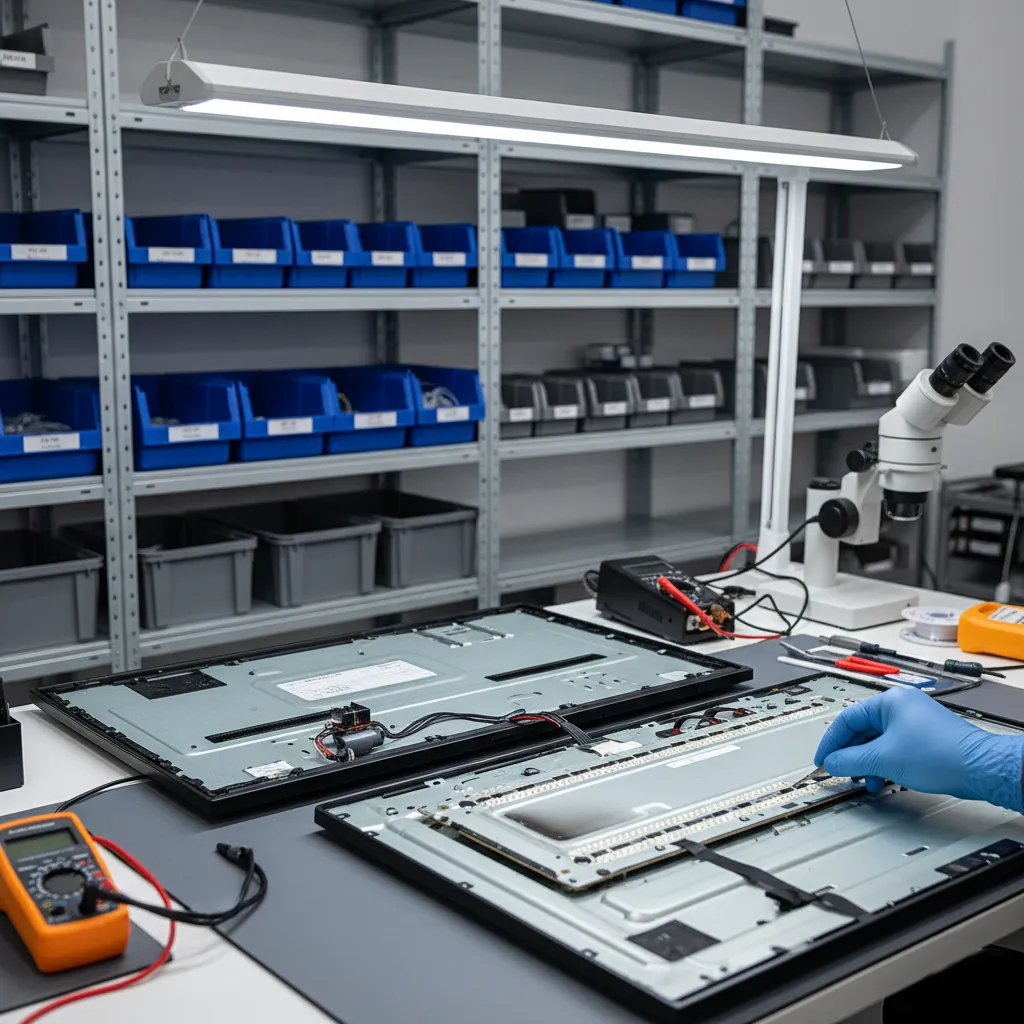
In an LED TV the picture is created by the panel, and it is lit from behind by LEDs — the backlight. The LEDs grow weaker year by year, and one day one of them fails. Because the LEDs on a strip are connected in series, when one burns out the whole strip — and often the whole backlight — goes dark. The result: there is sound, but the screen is black. This is the most common fault of LED TVs, and it is repaired without replacing the panel.
Signs of a backlight fault
- Sound but a black screen; a faint picture is visible with a flashlight.
- The TV turns on, the screen lights up for a second or two and goes dark; sometimes the TV turns itself off.
- Part of the screen is dim, or there is a dark band at the edge or in the middle.
- The picture has a bluish or purple tint.
- There are light circles or spots on the screen — the LED lenses have fallen off.
How the backlight is replaced
- The TV is disassembled and the panel is carefully removed — this is the stage that requires the most care.
- Each strip is tested separately and the failed LEDs are identified.
- The strips are replaced as a full set: replacing only the burnt-out LED is not enough, because the rest are just as worn.
- Fallen lenses are put back, and the diffuser and light-spreading layers are cleaned.
- The backlight power supply — the LED driver — is checked: a faulty driver can also burn out the LEDs.
- The TV is reassembled, and even illumination and screen brightness are checked.
Edge LED and Direct LED
In some slim TVs the LEDs sit along the edge of the screen (Edge LED), and a special light guide plate spreads the light across the whole screen. In most modern TVs, however, the LEDs are arranged in rows behind the screen (Direct LED). QLED and Mini LED TVs also have an LED backlight, just with many more zones. OLED has no backlight at all — there a black screen has a different cause, which we explain on the TV screen repair page.
How to extend backlight life
What wears LEDs out most is high brightness. Do not keep the backlight at maximum, use the energy-saving mode, and lower the brightness when the room is dark. Do not block the ventilation holes on the back panel — LEDs also age faster from heat. These rules still apply after the backlight has been replaced.
Price
The cost of backlight replacement depends on the screen size and the number of strips; prices start from 60 AZN. If you give us the model code, we will quickly tell you a preliminary price; the exact price is known after diagnostics. More details — TV repair prices. The backlight fails especially often in Samsung and LG TVs — Samsung TV repair, LG TV repair.
Backlight, matrix or board: what is failing
- TV has no picture, but the sound works. Almost always the backlight: one LED diode failure breaks the whole chain. Shine a flashlight at the screen — a faint image means the backlight.
- The TV backlight shuts down after a few seconds. The backlight driver detects a failed strip and switches off to protect itself.
- LED TV backlight assembly replacement. We replace the strips as a complete set, so the remaining old diodes do not fail one by one.
- TV matrix replacement and price. A cracked or damaged matrix (panel) is replaced as a whole; the price depends on the model and the panel, and we quote it before any work.
- PSU and motherboard repair. The power supply (PSU) and the mainboard are repaired at component level; we give a warranty on the work done.
- Smart TV frozen on the logo. Usually the firmware or the eMMC memory chip — we restore the firmware or replace the memory.
- Liquid damage. Unplug the TV at once; the boards are cleaned from corrosion and checked.
TV repair pricing in Baku at our service center is always quoted after diagnostics. We repair all brands, including Samsung, LG, Sony, Philips, Xiaomi, TCL, Hisense and Loewe.
TV has sound but no picture
If the TV has sound but no picture, the cause is most often the backlight (the LED strips): when a single diode burns out, the whole chain goes dark — the screen stays black while the sound keeps playing. Look closely at the screen with a flashlight: if a faint image is visible, the problem is in the backlight, and the strips are replaced as a full set. If there is no image at all, the main board, the T-Con board or the panel is checked. “Sound but no picture” is the most common fault of LED, QLED and LCD TVs.
Backlights of different TV brands
We replace the backlight of LED TVs of every brand: besides Samsung and LG, that includes Sony, Philips, Panasonic, Sharp, Toshiba, Grundig, Vestel, Hisense, TCL, Xiaomi, Artel, Hoffmann and others. For the repair the panel model matters more than the brand: the same panel with the same LED strips is used in TVs of different brands, so we choose the set by the model code on the sticker on the back cover and by the markings on the strips themselves. In budget models the strips carry fewer LEDs and each one runs at a higher current, so they heat up more and the backlight fails sooner.
A cracked screen and lines on the screen: when the backlight is not to blame
- Cracked screen. After an impact the screen shows cracks or black and colored blots spreading from the point of impact, while the picture is still partly there. This is damage to the panel itself, and a new backlight will not help. Replacing a cracked TV screen means replacing the whole panel; on large screen sizes it can cost almost as much as a new TV, so we tell you whether a panel is available and what it costs before any work starts, and the decision is yours.
- Vertical lines. One or more colored lines that stay after the TV is switched off and on usually mean a poor contact in the panel ribbon cable or in the driver chips along the panel edge. Sometimes this can be restored, sometimes the panel has to be replaced — diagnostics will show which.
- Interference on half of the screen, double images, flickering lines. Most often this is the T-Con board or the ribbon cable between it and the panel — such a fault is repaired without replacing the panel.
- Lines that appeared after the screen was pressed or the TV fell. Almost always the panel is damaged.
Main board processor and BGA reballing
If the TV switches on but freezes on the logo, restarts by itself, gives neither picture nor sound, or the interference shows even in its own menu, the cause may be on the main board — in the processor or the memory. A TV processor is a chip in a BGA package: under it there are hundreds of solder balls. Constant heating and cooling crack the solder under the chip, and the contact is lost — first now and then, later for good. In this case we do BGA reballing: we remove the chip at a rework station, apply new solder balls and solder it back in place. If the processor itself has failed, it is replaced when a replacement for this board can be found — we tell you after diagnostics. Repairing the main board usually costs less than replacing it.
A quick self-check before contacting us
- Check whether the standby light is on and whether the TV responds to the remote. If the light does not come on at all, the power supply is more likely at fault than the backlight.
- Open the TV menu. If the lines or spots also show over the menu, the fault is in the TV itself; if they appear on one HDMI input only, check the set-top box and the cable.
- Note when the picture disappears: at once, after a few seconds or after the TV warms up — this helps tell a backlight fault from a board fault.
- Write down the model code from the sticker on the back cover.
- Do not open the TV or press on the screen: the panel is thin and cracks if removed carelessly, and the strips are designed for a specific voltage. Backlight replacement is safer left to an experienced technician.
LED backlight faults also occur on TCL sets — see TCL TV repair.

 Azərbaycan
 Русский
 English
 Türkçe