
 Azərbaycan
 Русский
 English
 Türkçe
Computer Repair and Service in Baku
Innova Service is a computer repair shop and service center in Baku, repairing electronics since 2008. In desktop computers (PC), we repair the hardware: the motherboard, the power supply unit, the graphics card, the ports and the cooling system. We find the faulty part and restore it at component level (board-level repair) — replacing the whole motherboard or graphics card is often unnecessary. Unlike many computer repair companies, we do not just swap boards. We repair home and office computers of all brands — HP, Dell, Lenovo, Acer, Asus, MSI, Apple — custom-built and gaming PCs; professional computer services for hardware only.
Repairs start from 20 AZN. We find the cause first, then quote the exact price and repair time; work starts only with your approval, and we give a warranty on the work done.
Faults we repair
| What happens | Likely cause |
|---|---|
| The computer does not turn on at all | The power supply unit, the motherboard power circuits, the button and connectors |
| The fans spin, but there is no picture | The graphics card, RAM, the motherboard, the BIOS |
| It restarts randomly or shuts down by itself (unexpected shutdowns), runs unusually hot | Overheating, the PSU capacitors, the motherboard power section |
| It freezes, slows down, performance drops in games | Overheating (dust, dried-out thermal paste), RAM, a failing SSD/HDD |
| It is noisy and overheats | A cooling system clogged with dust, dried-out thermal paste, a fan |
| It does not work after a power cut | The power supply unit, the motherboard's protective components |
| A USB, audio or network port does not work | The port, its protective components, the circuit on the motherboard |
| It does not start after an update | Corrupted BIOS firmware |
| It shows “Diagnosing your PC” and does not start | A Windows failure (software is not our profile) or a faulty drive — we check the drive |
What we repair
- Motherboard. Power circuits (VRM), capacitors, transistors, ports, corrosion; reprogramming the BIOS chip; BGA reballing of chips.
- Power supply unit (PSU). Fuse, bridge, capacitors, power IC, fan — at component level.
- Graphics card. The power circuit, capacitors, fans, overheating problems.
- Cooling. Cleaning out dust, replacing thermal paste, checking the fans — against overheating and noise.
- Memory and drives. Checking the condition of the RAM and an HDD/SSD health check; a faulty part is replaced as part of the repair.
- Upgrade. SSD upgrade and RAM upgrade — the computer boots and works faster.
We do not sell spare parts separately — a faulty part is only replaced as part of a repair. We work with hardware: software problems (Windows, viruses) are not our profile. Computer service and support is provided at our service center; contact us through the form on our website, by phone or on WhatsApp.
Computer repair technician
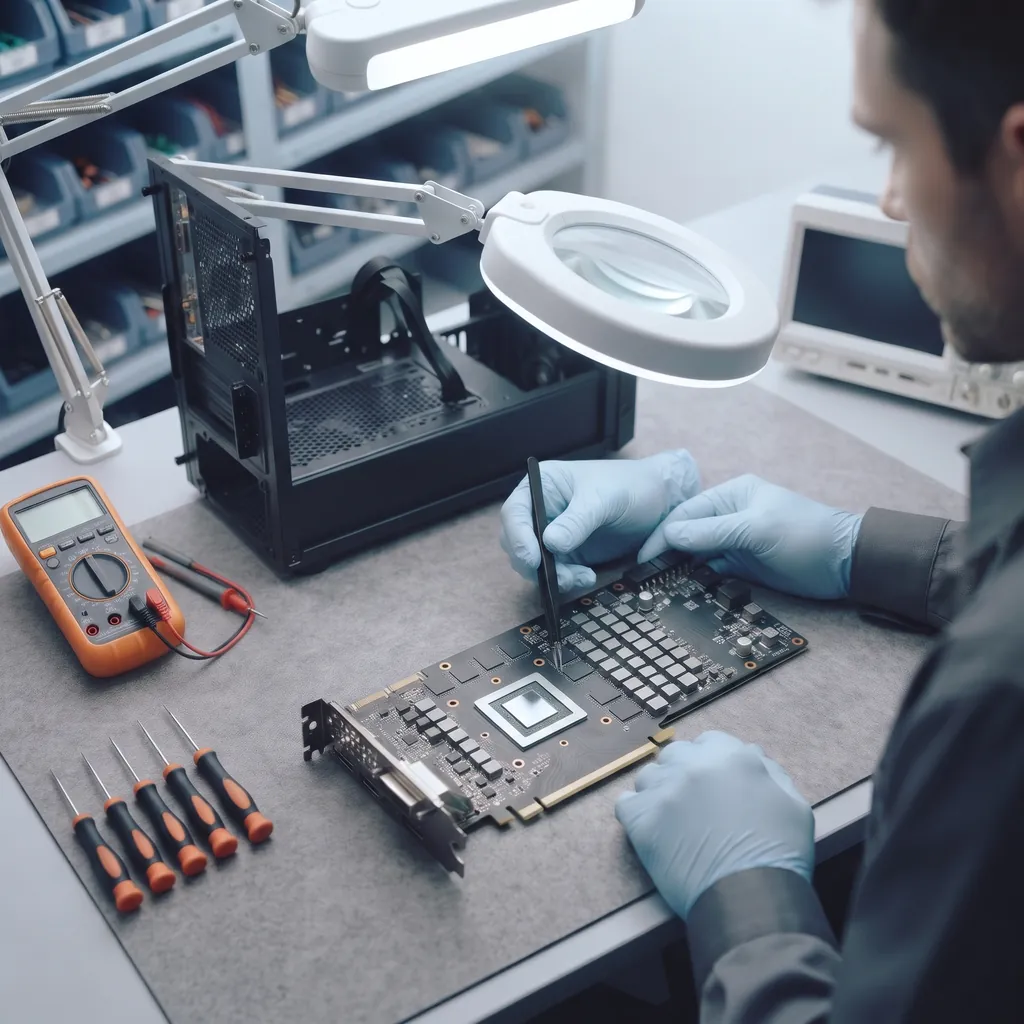
Our technicians are electronics specialists: they work with an oscilloscope, a multimeter, a laboratory power supply, a soldering station and a BIOS programmer. The technician first localises the fault by measurement — power supply, motherboard, graphics card, memory — and then repairs only what is faulty. Before contacting us, you can check a few things yourself: the socket and the power cable, the switch on the back of the power supply, the monitor cable and input; if there is no picture, test the monitor with another device.
An experienced technician measures first and finds the cause of power, overheating and picture problems — this matters for a fast and correct repair: only the part that is really faulty gets replaced. The motherboard also carries a small battery that keeps the BIOS settings: when it runs flat, the clock and settings reset at every start, and some computers stop during boot. We replace the battery as part of the repair, and normal start-up is restored. Dust cleaning and fresh thermal paste make the cooling more effective and lower the temperatures.
Why component-level repair pays off
- Usually only one or two components fail. Replacing a whole motherboard or graphics card is expensive.
- Parts for older platforms are hard to find. A repair keeps the computer running.
- The cause is eliminated. We also check for overheating and power problems, so that the fault does not come back.
How the repair works
- Diagnostics. A visual inspection of the boards first, then the power supply, the motherboard, the graphics card, the memory and the cooling are checked — the common hardware problems are found by measurement.
- Price and time. Quoted in advance, once the faulty part has been found.
- Repair. Faulty components are replaced, solder joints are restored, and the BIOS is rewritten if necessary.
- Testing. The computer is tested under load — performance testing: temperature, stability, ports.
- Warranty. We give a warranty on the work done and explain to the customer what was replaced.
How to protect your computer
- If the power often goes off, use a UPS (uninterruptible power supply) — it protects both the power supply unit and your data.
- Clean the dust out of the case once or twice a year; overheating ages capacitors and power components quickly.
- Avoid cheap, weak power supplies: when one fails, it can damage other parts too.
Laptops — laptop repair, MacBook — MacBook repair, UPS — UPS repair, monitors and a cracked computer screen — monitor repair.
Computer servicing: dust cleaning and thermal paste
Dust builds up inside a computer, and the thermal paste on the processor and graphics card dries out. Cooling becomes weaker: the computer overheats, the fans get noisy, and it slows down or shuts itself off in heavy programs and games. Signs a computer needs maintenance: high temperature, loud fans, performance issues and performance degradation — the computer is slow in gaming and professional applications — and it shuts down unexpectedly under load. Gaming PC maintenance matters most: a powerful graphics card heats up the case. Slow computer fixes start with the cooling. During servicing we do internal cleaning — dust removal from the case, fans, heatsinks and motherboard (dust accumulation is the main cause of overheating), clean the CPU heatsink contact, renew the thermal paste (thermal compound application on the CPU and graphics card), check the thermal pads, then run a CPU temperature test after maintenance. Servicing once a year extends the life of the components and prevents motherboard and graphics card failures.
Computer won't turn on: how the technician checks it, step by step
- Socket, cable and power supply switch. The simplest causes are ruled out first.
- Power supply unit (PSU). The standby voltage and the output voltages under load are measured; power supplies often fail after a power surge.
- Motherboard power circuits. The processor and memory power circuits (VRM) are checked, along with capacitors and transistors for shorts.
- Processor, RAM and graphics card. If the motherboard starts up, we find out at which stage the computer stops.
- BIOS. If the computer does not start after an update, the BIOS chip is rewritten with a programmer.
Once the faulty component has been found, the technician also checks why it failed — otherwise the new part would soon burn out too.
Graphics card repair
When a graphics card is faulty, artifacts appear on the screen — coloured dots and stripes — the picture disappears or the computer shuts down during games. The cause is usually in the power circuit, swollen capacitors, the fans or overheating. We restore graphics cards at component level: we repair the power circuit, check the fans and renew the thermal paste and thermal pads.
Slow computer: repair or upgrade
If the computer has slowed down, we first look for the cause: we check the drive health (SMART attributes, unreadable sectors), test the RAM and measure the processor and graphics card temperatures. An overheating processor lowers its clock speed — dust cleaning and fresh thermal paste help here. If the drive is worn out or the computer still has an HDD, installing an SSD makes start-up and programs several times faster; if there is not enough memory, we add RAM. We choose the right part for the motherboard and the model.
Get a repair quote
Choose your device and leave your number — we will contact you as soon as possible.
Prices
| Computer Repair and Service in Baku | from 20 AZN |
|---|
These are starting prices: we tell you the exact amount after diagnostics.
Frequently asked questions
My computer does not turn on. What is broken?
Most often the power supply unit or the motherboard power circuits. First check the socket, the cable and the switch on the power supply; we pinpoint the rest by measurement.
Do you repair the motherboard or replace it?
We repair it: the power circuits, capacitors, transistors, ports and the BIOS are restored at component level.
Do you repair power supply units?
Yes, at component level. Sometimes replacing the power supply is more cost-effective — we tell you during diagnostics.
How much does computer repair cost?
Repairs start from 20 AZN; we quote the exact price once the faulty part has been found.
Do you give a warranty on the repair?
Yes, we give a warranty on the work done.
Why should a computer be cleaned periodically?
Dust and dried-out thermal paste weaken cooling: the computer overheats, slows down, the fans get noisy, and over time the motherboard and graphics card can fail. Servicing once a year — dust cleaning and renewing the thermal paste — prevents this.
What does computer maintenance include?
We clean dust from the case, the fans and the heatsinks of the processor, graphics card and power supply, and replace the thermal paste on the processor and graphics card. We check how the fans spin and whether their bearings are noisy, check the condition of the SSD/HDD and the RAM, and inspect the motherboard and power supply for swollen capacitors and signs of overheating. Finally, we check temperatures under load. If we find a fault, we quote the price of its repair before any work starts.
Is a 7 year old computer worth fixing?
Often, yes — the age of the computer matters less than the type of fault and the cost of the repair. A failed power supply, drive or port, or overheating caused by dust are inexpensive repairs, after which the computer keeps working for a long time. A repair makes less sense when the motherboard or graphics card of an old platform has failed completely and a replacement is hard to find, or when the cost approaches the price of a newer computer. After diagnostics we tell you honestly which case yours is — for desktops of all brands, including custom-built PCs.
How long does the repair take?
It depends on the fault and on whether a part has to be ordered. We tell you the repair time in advance, after diagnostics, and start work only with your approval.
Can you put an SSD in my computer?
Yes, we do upgrades: we install an SSD and increase the RAM — the computer boots and works faster. We choose a suitable drive and memory for the model.
My computer restarts by itself — what is the cause?
Most often it is the power supply unit, an overheating processor, the RAM or swollen capacitors on the motherboard. We measure the power under load, test the memory and find the faulty part.
There is no sound or the USB ports do not work — can this be repaired?
Yes: the audio chip on the motherboard and the USB port power circuits are restored at component level, so there is no need to replace the whole board.
Which computer brands do you repair?
Desktop computers of all brands: HP, Dell, Lenovo, Acer, Asus, MSI, as well as custom-built, office and gaming PCs. We also repair the electronics of Apple iMac and Mac mini. Brand-name computers — for example, office models from HP, Dell and Lenovo — often have non-standard power supplies and motherboards: different connectors and sizes, and replacements are hard to find. That is why component-level repair is especially worthwhile here. When you get in touch, tell us the model — it is on the sticker on the back or bottom of the case.
Send a request — we will quote the price
- 070 262 19 19Call us
-
5a Ahmad Rajabli St. (Life Centre)Baku, AZ1052
-
Mon — Fri, 10:00–18:00Sat, Sun — closed
- service@innova.azEmail