
 Azərbaycan
 Русский
 English
 Türkçe
Induction hob, electric stove and oven electronics repair
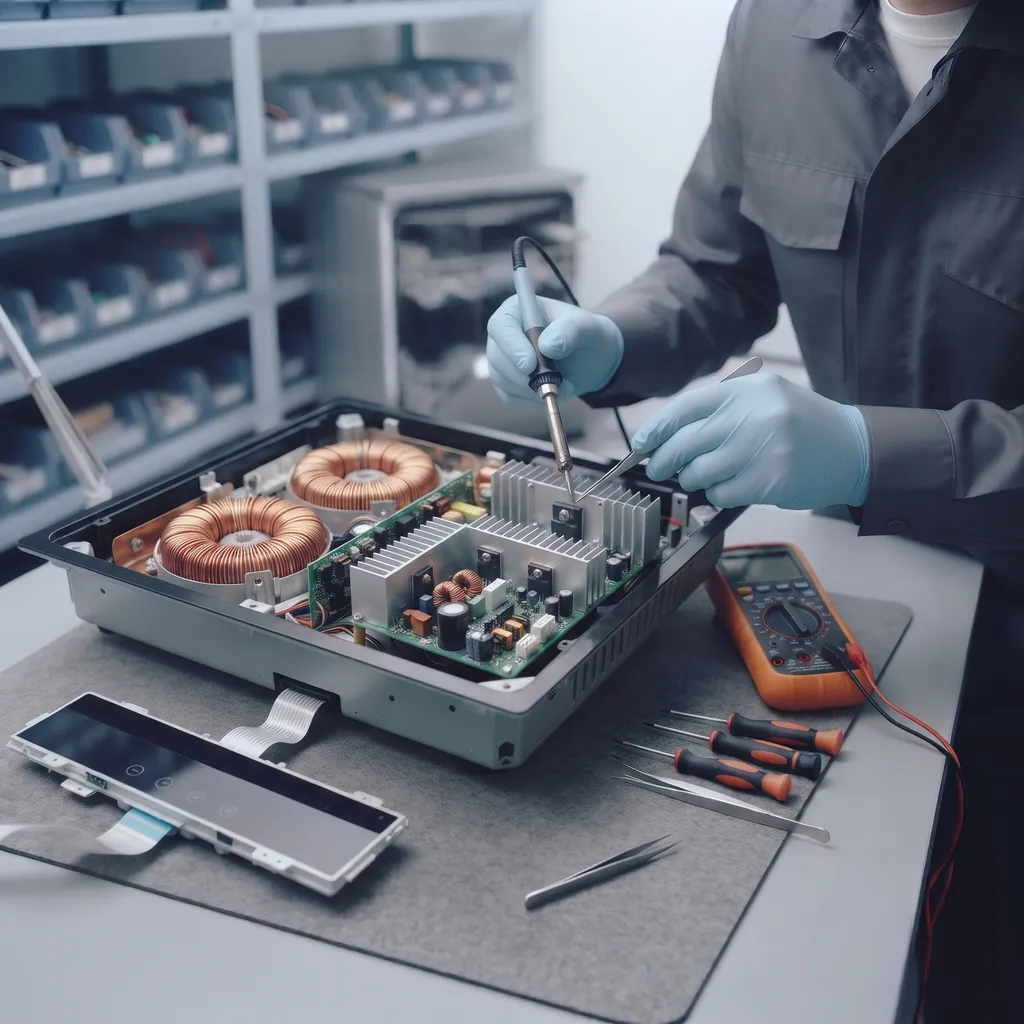
Innova Service has been repairing electronics in Baku since 2008. We repair the electronics of induction and electric hobs, stoves and ovens: the induction board (power section), the touch control panel, the oven's electronic module and timer, and the temperature sensors. We work with Bosch, Siemens, Electrolux, Gorenje, Beko, Hansa, Samsung, LG, Midea and other brands.
Repairs start from 80 AZN. We find the cause first, then quote the exact price; work starts only with your approval, and we give a warranty on the work done.
Faults we repair
| What happens | Likely cause |
|---|---|
| The induction hob does not turn on, the display stays dark | The power board: fuse, diode bridge, power supply |
| A cooking zone does not “see” the pan and does not heat | The IGBT transistors of the power board, their driver, the pan sensor |
| The breaker trips when the hob is switched on | A short circuit on the power board — IGBT, bridge |
| The touch buttons do not respond or press themselves | The touch control panel, moisture, its cable |
| An error code on the display (for example, starting with E, F or U) | A temperature sensor, the fan, communication with the board |
| The oven timer, display or buttons do not work | The oven's electronic module, a relay |
| The oven does not hold the temperature | The temperature sensor, the control module |
What we do not repair
With hobs and ovens, we deal with the electronics: boards, touch panels, electronic modules, sensors. Replacing heating elements (tubular heaters, hotplates), replacing the glass surface, the door and mechanical parts are outside our scope — if the cause lies there, we tell you plainly during diagnostics.
How we repair
- Diagnostics. The power board, the control panel, the sensors and the module are checked; the error code is read.
- Price. Quoted in advance, once the faulty part has been found.
- Repair. Burnt components — IGBTs, the bridge, the fuse, relays, capacitors — are replaced, and the board is restored.
- Testing. The board is tested under load; we give a warranty on the work.
Boards of other household appliances — circuit board repair; microwave ovens — microwave repair.
Induction hob: common faults
- A zone does not heat, an error is on the display. Most often the power module (IGBT) or the zone's temperature sensor is faulty.
- The circuit breaker trips when it is switched on. A shorted diode bridge or IGBT on the power board.
- The touch controls do not respond or activate by themselves. Liquid spilled on the control panel or a fault in its board.
- The hob heats up and switches off. Overheating: the cooling fan is not working or is clogged with dust.
Why power boards burn out: voltage surges, overheating due to poor ventilation of a built-in hob, and liquid getting inside. Write down the error code on the display — it speeds up diagnostics.
Induction cooktop and hob: causes of failure
- The induction cooktop does not start, blinks, the display does not work. The power supply, the touch panel and its ribbon cable, the control board; a blinking indicator is an error code.
- The induction cooktop does not heat a cooking zone (the zone does not warm up). The inverter power module (IGBT transistors), its driver, the temperature sensor; sometimes the cookware is not suitable.
- A blown fuse, no indication on the panel. A voltage surge, a short circuit in the power section, a faulty terminal block of the hob — we check the power circuit.
- A burnt-out heating element and indicators on an electric stove. We check the element and the relay or triac that switches it on, as well as the indicators on the panel.
Our oven and electric stove technician works on the electronics: control boards, touch panels and power modules of all brands, including Miele, Bosch, Siemens and Electrolux.
How to clean an oven without damaging the electronics
We do not clean ovens or hobs — our work is the electronics. But incorrect cleaning is a common cause of failures in the control panel, the sensors and the module: liquid runs between the buttons into the panel, and abrasives damage the surface of the touch controls. That is why, alongside the most effective cleaning methods, we explain how to keep them safe for the electronics. Before cleaning, let the oven cool down completely and disconnect it: switch off the circuit breaker or pull the plug out of the socket.
- Cleaning an oven with vinegar and baking soda. Mix baking soda with a little water into a thick paste, spread it over the cooled walls and the door glass, and leave it for a few hours or overnight. Then spray vinegar on top: the foam softens burnt-on residue, which then wipes off easily with a damp cloth. Keep the paste off the heating elements, the fan in the back wall and the temperature sensor — the thin metal rod inside the cavity.
- Cleaning an oven with lemon. Squeeze the juice of two lemons into an ovenproof dish, add a glass of water, put the dish in the oven and heat it for about half an hour at 120 °C. The steam softens the grease; once the oven has cooled, wipe the walls. This method works well for light soiling and against unpleasant smells.
- Steam cleaning an oven. Many models have a steam cleaning mode (for example, Aqua Clean or hydrolysis): water is poured into the tray at the bottom, the oven heats at a low temperature, and the dirt softens. If there is no such mode, a dish of water does the same job. When you open the door, remember that the steam rises — towards the control panel: open the door slowly and leave it ajar for a while so that the cavity dries out.
- How to clean the oven glass. Soften the deposits with baking soda paste and remove them with a plastic scraper; metal brushes and abrasive powders scratch the glass. On many models the inner glass can be removed — the manual explains how. Do not pour water between the panes.
- Grease and soot in the oven. A thick layer of grease burns again every time you cook, giving off smoke, soot and an unpleasant smell. The easiest way is to wipe fresh spots with a damp cloth after each use, while the oven is still warm: fresh grease comes off easily, while old grease turns into soot.
- What not to do. Do not spray cleaner directly onto the control panel or the touch display — spray it onto a cloth. Do not wash the buttons and knobs with lots of water, do not apply chemical gels to catalytic panels, and do not switch the oven on until it has fully dried after cleaning.
Catalytic and pyrolytic ovens: how self-cleaning works
In more expensive models, automatic modes replace manual cleaning. Each of them affects the electronics in its own way, so it is important to use them correctly.
| Mode | How it works | What to watch for the sake of the electronics |
|---|---|---|
| Catalytic coating | Porous panels on the back and side walls break down grease splashes during cooking at high temperature (usually above 200 °C) | Do not clean the panels with chemicals or abrasives; replacing worn panels is not our work |
| Pyrolytic cleaning | The oven heats up to about 500 °C, residue turns to ash, and the door locks automatically | The heaviest load falls on the module's relays, the temperature sensor, the door lock and the cooling fan |
| Steam cleaning (hydrolysis) | Water poured into the tray evaporates at a low temperature and softens the dirt | To keep moisture from rising to the control panel, open the door slowly and dry the cavity |
A catalytic oven does not need a separate cleaning mode: from time to time it is enough to run the empty oven at maximum temperature for a while — the exact setting is in the manual. The catalytic coating only protects against grease; sugar, milk and cheese residue has to be wiped off by hand. Start pyrolytic cleaning only when dirt has really built up — every cycle puts a heavy heat load on the electronics. Before pyrolytic cleaning, take out the trays, racks and side rails.
If the hob or oven does not work after cleaning
- The touch buttons press themselves, the panel locks or beeps. Moisture has remained on or inside the panel. Wipe the panel with a dry cloth and leave the hob disconnected for a day. Also check that the lock (child lock) symbol is not on. If the problem comes back after drying, the touch panel board needs to be checked — we repair it.
- The breaker or RCD trips when it is switched on. Water has got inside a heating element or onto the terminal block. Allow a day for drying; if the protection trips again, the cause is either the heating element (replacing it is not our work) or a short circuit on the board — diagnostics shows which one.
- The door will not open after pyrolytic cleaning. The lock releases once the oven has cooled, and that takes time. Do not force the door. If it stays locked after cooling, the cause is the lock switch, its motor or the module that controls it: we check the module and the lock circuit; if the lock mechanism itself is broken, that is mechanical work, and we will tell you so plainly.
- The clock is flashing on the display and the oven will not start. After a power cut, many ovens do not work until the time is set — set the clock. If the display stays completely dark, the cause is in the module's power supply.
- The oven does not heat or does not hold the temperature. A temperature sensor bent or wetted during cleaning, a module relay or a burnt-out heating element. We repair the sensor and the module; if the heating element needs replacing, we tell you plainly.
What to tell us when you contact us
Write down the model and serial number: on an oven the label is usually on the edge of the frame when the door is open, on a hob it is underneath; the same data is in the warranty card and the manual. Tell us the error code on the display, what happened before the fault appeared (cleaning, pyrolytic cleaning, liquid, a voltage surge) and whether your hob is induction or a standard electric one. If you send a photo or video of the fault on WhatsApp, we will give a preliminary estimate; the exact price is quoted after diagnostics.
Dishwashers share many electronic faults with ovens: control board, sensors, heater relay — see dishwasher repair.
Get a repair quote
Choose your device and leave your number — we will contact you as soon as possible.
Prices
| Induction hob, electric stove and oven electronics repair | from 80 AZN |
|---|
These are starting prices: we tell you the exact amount after diagnostics.
Frequently asked questions
Can an induction cooktop catch fire?
The cooktop itself rarely catches fire, but faulty electronics overheat: swollen capacitors, failed power transistors (IGBT), an overheating board when the fan does not work. If you smell burning, see smoke or the breaker trips, unplug the cooktop at once and do not use it — the power board needs to be checked.
My induction hob does not detect the pan. Can it be repaired?
Yes, most often the IGBT transistors of the power board or their driver are faulty; they are replaced.
Do you replace hotplates or heating elements?
No, we deal with the electronics of hobs and ovens: boards, touch panels, modules, sensors.
How much does the repair cost?
Repairs start from 80 AZN; we quote the exact price after diagnostics.
Can cleaning an oven with baking soda and vinegar damage the electronics?
Not if it is done correctly. The risk is not the products themselves but liquid getting onto the control panel, the temperature sensor and the heating elements. Disconnect the oven, apply the paste only to the walls and the glass, and then dry the cavity thoroughly.
My oven shows an error after pyrolytic cleaning. Can it be repaired?
Yes. Most often the cause is a temperature sensor, a module relay or the door lock circuit damaged by the high heat. We find the faulty part by measurement and repair the module at component level; we quote the price after diagnostics.
Send a request — we will quote the price
- 070 262 19 19Call us
-
5a Ahmad Rajabli St. (Life Centre)Baku, AZ1052
-
Mon — Fri, 10:00–18:00Sat, Sun — closed
- service@innova.azEmail