Projector repair in Baku — Epson, BenQ, Optoma, Sony

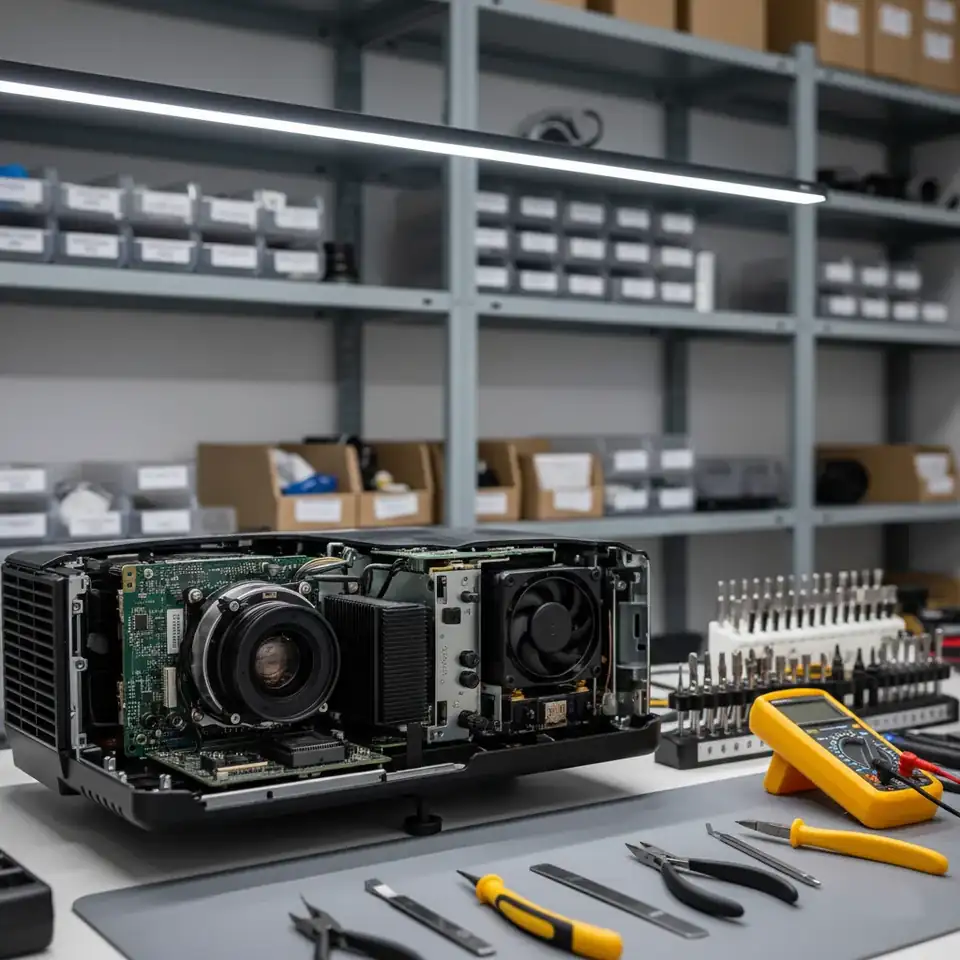
Innova Service has been repairing electronics in Baku since 2008. We repair projectors of all brands: Epson, BenQ, Optoma, Acer, Sony, Panasonic, ViewSonic, NEC, LG, Hitachi and others — office and education projectors, home cinema models, lamp, laser and LED projectors. We replace lamps, restore power supplies and main boards, clean the optics and solve problems with DLP and LCD blocks.

Repairs start from 50 AZN. We find the cause of the fault first, then quote the exact price; work starts only with your approval, and we give a warranty on the work done.

Faults we repair

What happensLikely cause
Won't turn on, the indicator is red or blinkingPower supply, lamp ballast, fan, sensors — projector won't turn on
The lamp won't light, “replace the lamp”, dim pictureLamp at the end of its life, ballast — lamp replacement
White or black dots on the screen (DLP)DMD chip — dots on a DLP projector
Colored spots, a yellow or purple tint (LCD)Dust in the optical block, ageing LCD panels and polarisers — optics cleaning
Overheats and shuts down, the fan is loudClogged filter, fan, temperature sensor
Blurry picture, won't focus, keystone distortionFocus and zoom mechanism, lens — keystone and focus
“No signal”, HDMI not detectedHDMI port, cable, main board — HDMI and signal

DLP and LCD: what is the difference

In DLP projectors (BenQ, Optoma, Acer, ViewSonic, LG and others) the picture is formed by a DMD chip covered with tiny mirrors and by a color wheel: typical problems are white dots and a noisy color wheel. LCD projectors (Epson, Hitachi, Sony office models; Panasonic and NEC make both LCD and DLP models) have three LCD panels and a prism: their weak points are dust in the optical block and panels that turn yellow over the years. The projector type determines how it is repaired.

By brand

Epson, BenQ, Optoma, Acer, Sony, Panasonic, ViewSonic, NEC, LG, Hitachi.

Early signs of a fault

A projector rarely fails without warning — it usually gives signs first. Booking diagnostics as soon as you notice them usually makes the repair cheaper:

  • The fan is louder than usual or runs in bursts. Cooling is struggling: the filter is clogged, the fan bearing is worn or a sensor gives wrong readings.
  • The picture gradually gets dimmer. The lamp is nearing the end of its life, or dust has built up in the optics.
  • The colour tint shifts and spots appear at the edges. In LCD models the panels and polarisers age from heat.
  • The projector does not start on the first try. The lamp or ballast has weakened, or the power supply capacitors have aged.
  • One or two white dots appear on a DLP projector. Their number usually grows over time.

Office, classroom and home cinema: problems by type of use

Office and education projectors run for hours every day, are switched on and off often and are carried from room to room: lamp, filter and power supply problems and damaged inputs are more common in them. Ceiling-mounted classroom projectors work where warm air collects, so they run hotter and gather more dust. Home cinema projectors more often have problems with the HDMI input, audio pass-through, colour wheel noise and picture sharpness, because picture quality comes first in these models.

When a repair does not pay off

  • The optical block of an inexpensive portable projector is damaged. The part can cost nearly as much as the device itself.
  • Parts for an old model are no longer made. Especially the DMD chip and LCD panels; we confirm this at diagnostics.
  • Several main units have failed at once. For example, both the optics and the main board are damaged after a fall.

In such cases we tell you so after diagnostics, and the decision is yours.

Projector care: protect the electronics and the optics

  • Placement. Do not place the projector in the airflow of an air conditioner or near heat sources: temperature swings and condensation harm the electronics.
  • Power. Connect the projector through a surge protector or a stabilizer — voltage spikes destroy the power supply and the ballast.
  • Lamp hours. Check the lamp hours in the menu from time to time and plan the replacement when the lamp nears the end of its life.
  • Storage and transport. Once the projector has cooled down, keep it in a bag or box in a dry place, with the lens cap on.

How we repair

  1. Diagnostics. We check the power circuits, the lamp and ballast, fans, sensors, optics, inputs and the main board, and read the error indicators.
  2. Price. We quote it in advance, once the faulty part is found.
  3. Repair. The faulty part is replaced, and the inside of the projector is cleaned of dust.
  4. Testing. The projector runs for a long time: brightness, colors, temperature, noise; we give a warranty on the work.

We do not sell spare parts separately — a faulty part, including the lamp, is replaced only as part of a repair. About our technician's work — projector repair technician; prices — projector repair prices.

Read more: NEC service.

Projector repair in Baku — Epson, BenQ, Optoma, Sony

Get a repair quote

Choose your device and leave your number — we will contact you as soon as possible.

Thank you! Your request is received — we will contact you as soon as possible.

Useful articles

  • Troubleshooting: Lamp Not Giving Enough Brightness
    Projector Problems

    Troubleshooting: Lamp Not Giving Enough Brightness

    Is your lamp not giving enough brightness? This common issue can be frustrating and hinder your work or relaxation time. Understanding the underlying reasons and knowing how to address them can help restore your lamp's optimal performance. We delve into potential causes and offer practical solutions...

  • Understanding Why Lamp Lifespan Wears Fast
    Projector Problems

    Understanding Why Lamp Lifespan Wears Fast

    Projector lamps have a notorious reputation for wearing out more quickly than anticipated. Understanding the factors that contribute to this rapid decline can help users adopt better practices and prolong the life of their projector lamps. This article delves into why lamp lifespan wears fast and of...

  • Projector Lamp Burnt Out: Causes and Solutions
    Projector Problems

    Projector Lamp Burnt Out: Causes and Solutions

    When a projector lamp burns out, it can disrupt presentations, movie nights, or any visual display. Understanding the causes and finding solutions quickly is essential to restoring your projector's performance. In this article, we'll explore the reasons behind projector lamp burnout and offer practi...

  • Professional Lens Cleaning Service for Projectors
    Projector Problems

    Professional Lens Cleaning Service for Projectors

    Lens cleaning is an essential service for maintaining the optimal performance of projectors. A clean lens ensures sharp image quality and prolongs the equipment's lifespan. In this article, we will explore the importance of professional lens cleaning services and the impact they have on addressing o...

  • Understanding Weak Optical Performance in Projectors
    Projector Problems

    Understanding Weak Optical Performance in Projectors

    Weak optical performance in projectors can significantly impact viewing quality, causing blurred images and reduced clarity. Understanding the underlying optics and focus problems is crucial for effective troubleshooting and repair.

  • Troubleshooting Autofocus Not Functioning Issues
    Projector Problems

    Troubleshooting Autofocus Not Functioning Issues

    When your projector's autofocus is failing, it disrupts not only visual clarity but also the entire viewing experience. Understanding why autofocus may not function and how to address this issue can significantly enhance your projector's performance.

Prices

Projector repair in Baku — Epson, BenQ, Optoma, Sonyfrom 50 AZN

These are starting prices: we tell you the exact amount after diagnostics.

FAQ

Frequently asked questions

Which projector brands do you repair?

All brands: Epson, BenQ, Optoma, Acer, Sony, Panasonic, ViewSonic, NEC, LG, Hitachi and others.

My projector won't turn on and the indicator is red. Why?

Most often it is the lamp or ballast, a fan, the temperature sensor or the power supply. The color of the indicator and the way it blinks point to the cause.

Do you replace projector lamps?

Yes, the lamp is replaced with one that matches the model, and the lamp hour counter is reset.

Can white dots on a DLP projector be repaired?

Yes, the dots are caused by the DMD chip; it is replaced.

My projector overheats and shuts down. Why?

Most often it is a clogged filter, a fan or the temperature sensor. At diagnostics we check the fans and sensors, and during the repair the inside of the projector is cleaned of dust.

What should I do if my projector is not working?

Check the power cable and the socket, and select the right input on the projector (HDMI, VGA). Make sure the lamp and filter cover is firmly closed — many models will not turn on with the cover open. If the projector has just been running, let it cool down: an overheated projector will not start until the fan has cooled it. Then look at the indicators: their colour and blinking pattern, as described in the model's manual, point to the lamp, overheating or the power supply. If an indicator signals an error or the projector does not respond at all, it needs diagnostics.

How many years does a projector last?

A projector's life depends mainly on its light source and its cooling. In lamp models the lamp is a consumable: its life is given in hours in the manual, the hours used can be seen in the menu, and when they run out the lamp is replaced. Laser and LED projectors last much longer, but dust and overheating shorten their life too. The electronics serve for a long time if the projector is cleaned of dust regularly and its ventilation is not blocked.

What should you not do with a projector?

Do not pull the plug right after switching off: the fan has to cool the lamp, otherwise it wears out faster and can burst. Do not block the vents, do not run the projector with a clogged or removed filter, and do not move it while it is hot. Do not touch the lamp bulb or the lens with your fingers, do not look into the lens of a working projector, and do not keep it in a dusty or smoky room without regular cleaning.

The picture flickers or colours drop out. What is the cause?

First check the cable and the source: if the problem stays with another cable or another device, the cause is in the projector. Most often it is a faulty HDMI input or main board, the colour wheel in DLP models, or a worn lamp or ballast in lamp models. We find the exact cause during diagnostics.

The projector hums or makes a grinding noise. Is that dangerous?

The sound usually comes from the fan or, in DLP models, from the colour wheel. A worn fan cools the projector poorly, which shortens the life of the lamp and the electronics, and the colour wheel can stop completely. If such a sound appears, do not run the projector for long periods and book a diagnostics.

Contacts

Send a request — we will quote the price

Google Maps loads only when you press the button

Get a price

Leave your number — we will contact you as soon as possible.

Thank you! Your request is received — we will contact you as soon as possible.