Repair of a TV that won't turn on

The indicator is off or blinking, the TV turns on and off, or stays on the logo: we find the cause and repair it.

A TV that won't turn on is one of the most common faults, but “won't turn on” can mean different things. How the standby indicator behaves narrows down the cause considerably — be sure to mention it when you contact us.

Check these first

  • Test the socket with another device; remove the extension lead and plug the TV directly into the wall socket.
  • Try turning the TV on with its own button: the remote's batteries may be flat.
  • After a power cut, unplug the TV from the mains for 5–10 minutes, then plug it back in.
  • If you smell burning or hear clicking from inside, do not switch the TV on again and unplug it from the mains.

The cause by the indicator

What you seeLikely cause
The indicator does not light up at allThe standby section of the power supply: a fuse, a capacitor, the power IC
The indicator is on, but nothing happens when you press powerThe main board, its power supply, or the button and remote receiver
The indicator blinksThe TV goes into protection mode: the power supply, a short in the backlight or the main board
Turns on and goes off after a few secondsA short in the backlight circuit, or the power supply cannot hold the voltage under load
The logo appears, then the TV restarts or freezesThe software or the memory chip (eMMC)
Sound but a black screenThe TV has turned on, but the backlight does not work

In the last case the TV actually works and the problem is in the screen — LED backlight replacement.

How we repair it

First we measure the power supply voltages: standby, main supply and backlight supply. If a voltage is missing, the power supply is repaired at component level — the burnt part is replaced and the unit is tested under load. If the voltages are fine, we check the main board and its software; if needed, we rewrite the memory chip. More details — TV board repair.

Power supplies that burn out after a power cut or a voltage surge are common. In such cases replacing only the fuse is not enough: it usually blows because another part has failed, so the whole circuit is checked.

By brand

When Samsung TVs develop a fault, the red indicator blinks, while LG TVs sometimes get stuck on the logo. The typical faults of your brand are described on the Samsung TV repair and LG TV repair pages. Repairing a TV that won't turn on costs from 60 AZN; a power supply repair is usually cheaper than main board or screen work.

By brand: Toshiba TV repair and TCL TV repair.

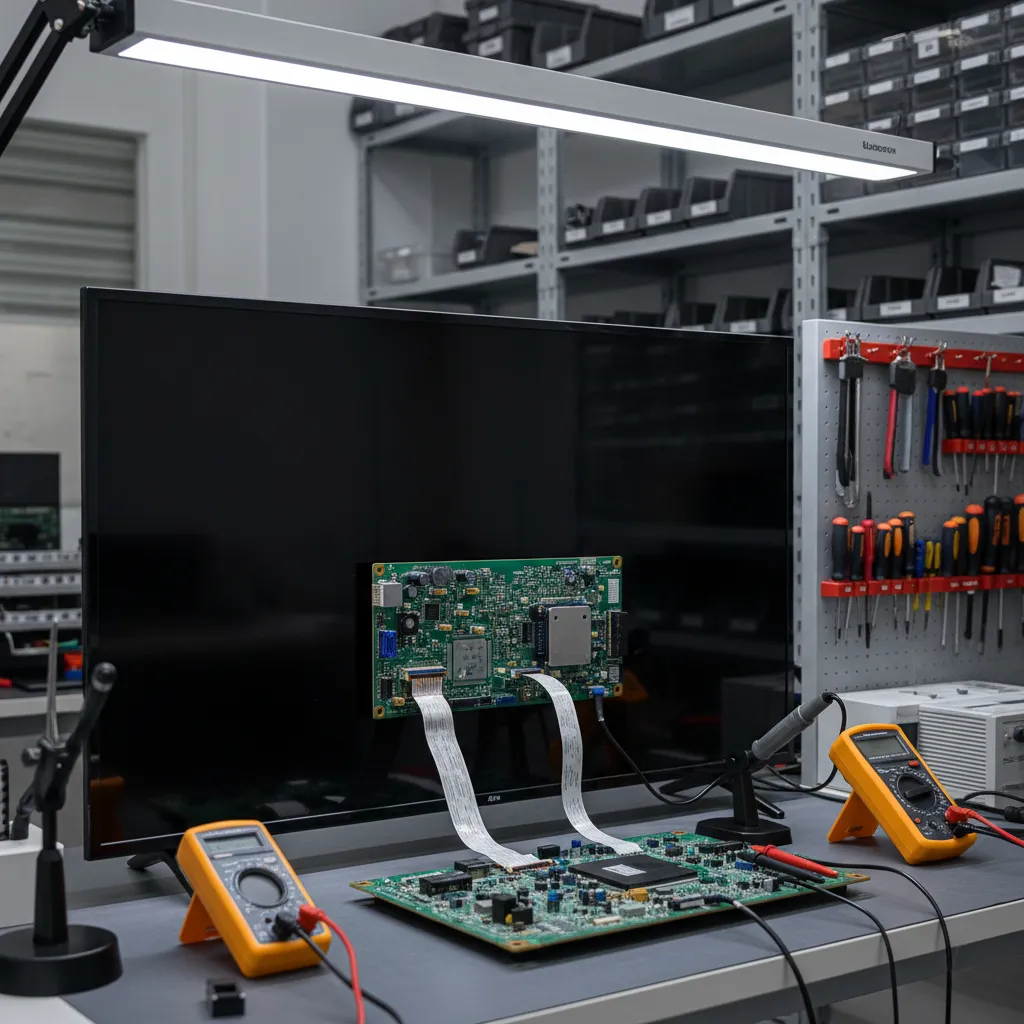
The board of a TV that won't turn on, removed for testing

Get a repair quote

Choose your device and leave your number — we will contact you as soon as possible.

Thank you! Your request is received — we will contact you as soon as possible.

Find your model

Enter the model number — for example, QL55M800A. It is on the label on the back panel or in the settings menu.

Useful articles

  • Mainboard Repair TV: How to Diagnose and Fix Issues
    TV Problems and Repair

    Mainboard Repair TV: How to Diagnose and Fix Issues

    The mainboard of your TV is akin to the brain of the device, responsible for processing signals and ensuring your viewing experience is smooth and uninterrupted. When the mainboard malfunctions, it can lead to a host of issues such as no signal, picture flickering, or the TV not turning on at all. U...

  • Comprehensive Guide to TV Service Diagnostics
    TV Problems and Repair

    Comprehensive Guide to TV Service Diagnostics

    In the world of electronics, televisions are among the most ubiquitous devices found in homes. Yet, like all technology, they can encounter issues that require tv service diagnostics. Understanding how to diagnose these problems is key to maintaining a functional and enjoyable viewing experience. In...

  • How to Fix the TV Screen Lines Issue
    TV Problems and Repair

    How to Fix the TV Screen Lines Issue

    Have you ever sat down to enjoy your favorite show only to be distracted by lines running across the TV screen? These lines can range from faint horizontal or vertical disruptions to bold, colorful streaks. Understanding what causes this common technological hiccup and knowing how to address it can...

  • Understanding the Causes of a Blurry TV Screen Image
    TV Problems and Repair

    Understanding the Causes of a Blurry TV Screen Image

    Experiencing a blurry TV screen image can be frustrating, especially when you're trying to enjoy your favorite show or movie. Understanding the root causes of this issue can help you address it more effectively. Delve into the common reasons behind a blurry screen and explore actionable solutions to...

  • TV Glass Replacement: Essential Guide to Restore Your Screen
    TV Problems and Repair

    TV Glass Replacement: Essential Guide to Restore Your Screen

    Replacing the glass on your TV screen might seem like a daunting task, but it's often necessary to restore the clarity and functionality of your television. Whether it's due to accidental damage or gradual wear, understanding the process and knowing when to seek professional help can save time and m...

  • How to Fix Low Brightness Issues on Your TV Screen
    TV Problems and Repair

    How to Fix Low Brightness Issues on Your TV Screen

    Experiencing a low brightness on your TV screen can be frustrating, especially when you’re trying to enjoy your favorite shows or movies. Understanding the root causes of this issue can help you find the right solutions. In this article, we explore why your TV's brightness may be too low and what st...

Prices

Repair of a TV that won't turn onfrom 60 AZN

These are starting prices: we tell you the exact amount after diagnostics.

FAQ

Frequently asked questions

My TV won't turn on after the power went off and came back. What happened?

Most often the power supply is damaged by a voltage surge. Unplug the TV and do not try to switch it on again — diagnostics will show the burnt part.

The red light is on, but the TV won't turn on.

Standby works, but the main power supply or the main board does not start. The cause is in the power supply, the main board or the software.

The TV turns on and immediately goes off.

The TV detects a fault and shuts itself down: most often the cause is a short in the backlight or the power supply.

The TV is stuck on the logo, the menu does not open.

The software is corrupted or the memory chip is worn out. We restore the software and replace the chip if needed.

How much does it cost to repair a TV that won't turn on?

Prices start from 60 AZN. A power supply repair is usually cheaper than main board or screen work; we quote the exact price after diagnostics.

The TV turns on, but YouTube will not load. What should I do?

If the TV turns on, the power supply and the board are fine — the problem is in the Smart TV part. Unplug the TV for a minute, clear the cache of the YouTube app, check the date and time, and update the system. If that does not help, see the Smart TV repair page: the cause may be the memory chip or the software.

Contacts

Send a request — we will quote the price

Google Maps loads only when you press the button

Get a price

Leave your number — we will contact you as soon as possible.

Thank you! Your request is received — we will contact you as soon as possible.