




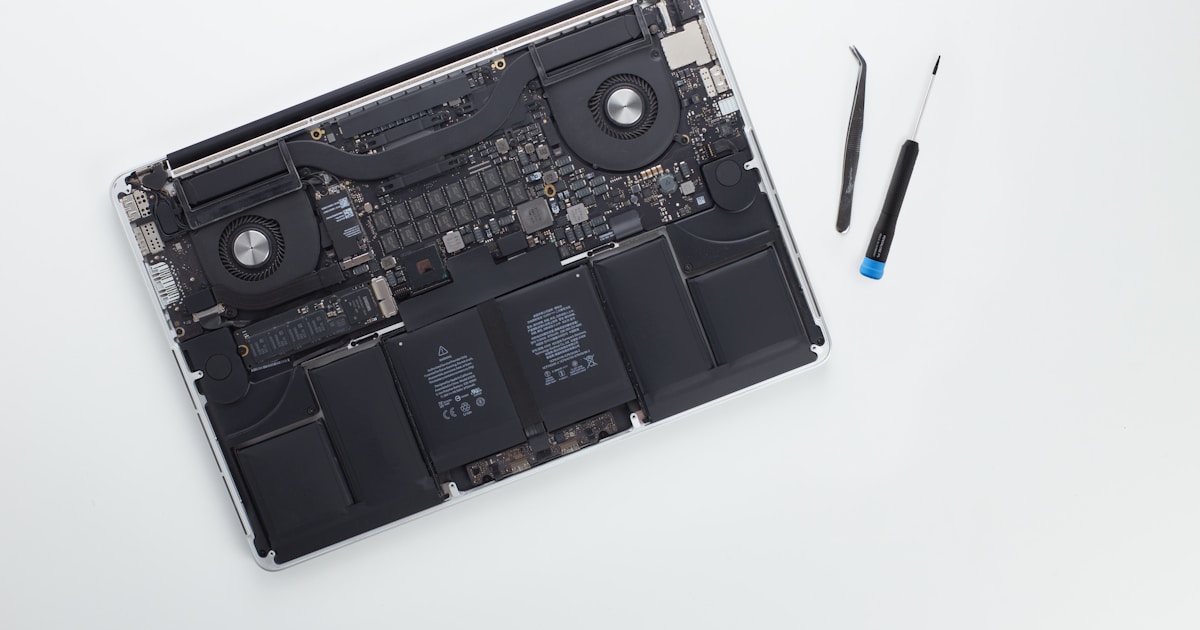
Understanding MacBook M2 SSD Issues
The MacBook M2 is renowned for its sleek design and performance, but just like any technology, it isn't immune to failures. One common concern is SSD data loss, which can manifest in various ways, such as sudden inability to boot, frequent crashes, or unusual sounds from the drive. Recognizing these symptoms early can help in minimizing data loss and preventing further damage.
Common Symptoms of SSD Problems
When facing potential SSD issues, MacBook M2 users might encounter:
- Frequent system crashes or freezes
- Errors during the boot process
- System fails to recognize the SSD
- Unusual noises, such as clicking or buzzing, from the device
If any of these symptoms appear, it is crucial to act swiftly and avoid further use of the device until a proper evaluation is conducted.
High-Level Causes of SSD Data Loss
SSD failures in a MacBook M2 can occur due to several factors, including:
- Physical damage - Dropping or exposing the device to extreme conditions can cause internal components to malfunction.
- Software corruption - Malware or improper system updates may lead to file corruption or data loss.
- Power failures - Sudden shutdowns or power surges can disrupt data writing processes.
What Users Can Safely Check
Before reaching out to professionals, users can perform some basic checks:
- Ensure the power adapter and battery are functioning correctly.
- Check if the MacBook charges and the indicators respond as expected.
- Attempt a simple restart or a safe boot to isolate software issues.
- Look for visual indicators of liquid damage or overheating, such as unusual discoloration or smell.
If these checks do not resolve the issue, it is advisable to contact a service center for professional diagnostics and repairs.
Professional MacBook M2 SSD Data Recovery
Recovering data from a MacBook M2 SSD involves intricate processes that require specialized tools and expertise. Attempting to repair or recover data on the component level without professional assistance could lead to permanent data loss or further hardware damage. Service centers have the necessary equipment to handle delicate SSDs and ensure data is recovered safely.
For more specific issues with SSDs, such as boot errors, you might find this Macbook M3 A2992 SSD Repair — Boot Error article helpful.
Why Choose Professional Recovery Services
Entrusting your device to certified technicians not only ensures the safety of your data but also extends the life of your MacBook. Professionals can provide insights into the health of your SSD and recommend preventive measures to avoid future data loss.
Conclusion
MacBook M2 SSD failures can be distressing, but recognizing the early signs and understanding the basics of safe checks can mitigate risks. Professional data recovery services in San Francisco offer the expertise needed to securely restore your data and maintain your MacBook’s performance. Prioritize contacting a specialist when faced with SSD-related issues to ensure the best outcome for your device.




